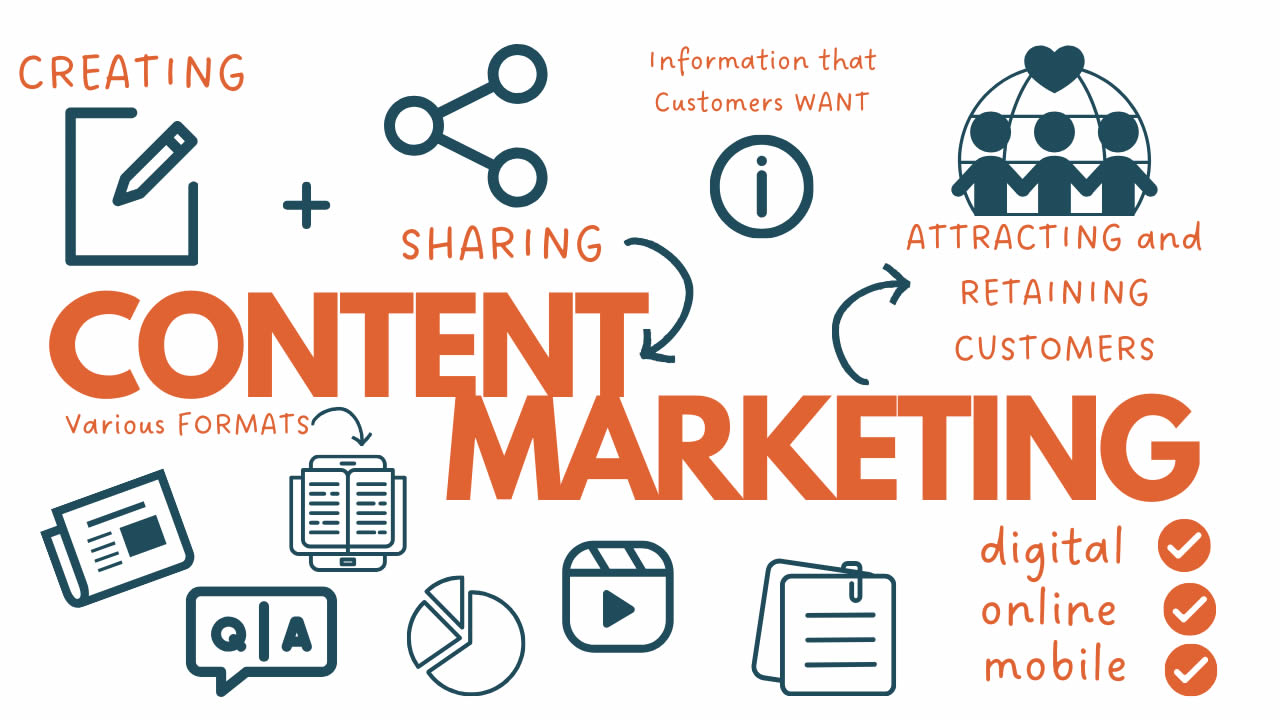






In today’s fast-paced business world, managing sales pipelines and nurturing leads manually can feel like juggling flaming torches while riding a unicycle. Enter Pipedrive CRM software a powerhouse tool designed to simplify sales processes for teams of all sizes. But what elevates Pipedrive from a standard CRM to a game-changer? Its robust marketing automation capabilities. If you’re a beginner dipping your toes into “pipedrive marketing automation,” you’re in the right place. This guide breaks down everything from setup to advanced tips, helping you automate repetitive tasks, personalize customer interactions, and boost conversions without the overwhelm.
Why does this matter now? With remote teams and digital-first sales on the rise, businesses that automate their marketing see up to 451% more qualified leads, according to industry benchmarks. For newcomers, mastering pipedrive marketing automation means saving hours on email sequences, lead scoring, and follow-ups freeing you to focus on closing deals. Whether you’re a solopreneur or scaling a startup, this setup guide will equip you with practical steps, real-world insights, and troubleshooting hacks to get started confidently.
What is Pipedrive CRM Software?
Pipedrive CRM software stands out as a visual, intuitive platform built specifically for sales teams. Launched in 2010, it has evolved into a comprehensive tool that goes beyond basic contact management, emphasizing pipeline visualization to track deals from lead to close. At its core, Pipedrive helps users organize opportunities in customizable pipelines, set reminders for activities, and gain insights through reporting dashboards.
Key features include drag-and-drop deal management, email integration for tracking opens and clicks, and AI-powered tools like sales assistants that suggest next actions. What sets Pipedrive apart in the crowded CRM market is its user-friendly interface no steep learning curve here. Beginners appreciate the mobile app for on-the-go access and the marketplace for seamless add-ons.
Benefits extend to efficiency: teams using Pipedrive report 28% shorter sales cycles on average. It’s not just about storing data; it’s about actionable insights that drive revenue. For marketing pros, the real magic lies in its automation layer, which we’ll dive into next. If you’re evaluating options, Pipedrive’s focus on sales-first functionality makes it a top pick for B2B teams looking to align marketing and sales efforts effortlessly.
Understanding Pipedrive Marketing Automation
Pipedrive marketing automation refers to the suite of tools within the CRM that automate workflows, email campaigns, and lead nurturing sequences. It’s not a standalone platform but a deeply integrated feature set that leverages your sales data to trigger personalized actions. Think of it as your CRM’s smart assistant: it handles the “when” and “what” of customer interactions, so you handle the strategy.
Core components include:
- Workflow Automations: Trigger-based rules that respond to events like deal updates or date milestones.
- Automated Campaigns: Email sequences that nurture leads based on behaviors.
- LeadBooster and Smart Contact Data: Tools for capturing and enriching leads automatically.
- AI Enhancements: Features like multi-email drafting and predictive scoring to refine targeting.
The benefits are profound. Automation reduces manual errors by 80% in repetitive tasks, ensures timely follow-ups (critical since leads go cold in under 5 minutes), and scales personalization without extra headcount. For beginners, this means turning chaotic inboxes into streamlined funnels. Deep insight: Pipedrive’s automations aren’t rigid; they adapt via conditions and integrations, allowing if/else logic for complex journeys like segmenting hot vs. warm leads.
Compared to broader marketing platforms, Pipedrive shines in sales-marketing alignment your campaigns feed directly into pipelines, creating a closed-loop system. This integration minimizes data silos, a common pain point in disjointed tools.
Getting Started: Pipedrive Login and Free Trial
Before diving into automations, you need access. Signing up for Pipedrive is straightforward. Head to the official site and click “Start your free trial.” No credit card required upfront, making it beginner-friendly.
For pipedrive login:
- Visit pipedrive.com and select “Log in.”
- Enter your email and password. If two-factor authentication (2FA) is enabled (recommended for security), verify via your authenticator app.
- Once in, the dashboard greets you with a customizable overview pipelines on the left, quick actions up top.
The pipedrive free trial lasts 14 days, granting full access to all features, including premium add-ons like LeadBooster. Use this window to import contacts (via CSV or integrations like Google Workspace), set up your first pipeline, and test automations. Pro tip: Schedule a personalized onboarding session during the trial Pipedrive offers free guidance to accelerate setup.
If you’re switching from another CRM, the migration tools make it painless. Post-trial, you’ll choose a plan, but more on that next.
Pipedrive Pricing: Choosing the Right Plan
Pipedrive’s pricing is transparent and scalable, starting affordably for solos and ramping up for enterprises. As of 2025, plans are billed annually (monthly options add 20-25%), with a 14-day free trial across all tiers. No hidden fees for core features, but add-ons like Campaigns or Web Visitors can bump costs.
Here’s a breakdown of the plans:
| Plan Name | Price (Per User/Month, Billed Annually) | Key Features |
|---|---|---|
| Lite | $14 | Basic pipeline management, email integration, 500+ app connections, AI reports, personalized onboarding. Ideal for beginners testing waters. |
| Growth | $39 | Everything in Lite + full email sync/tracking, automations, lead nurturing, subscriptions, forecast reports, meeting scheduler, live chat support. Perfect for small teams automating marketing. |
| Premium | $59 | Growth features + lead generation/routing, custom scoring, AI email tools, e-signatures, advanced customization for reports and fields. Suited for growing businesses with complex workflows. |
| Ultimate | $79 | Premium perks + enhanced security (rules/alerts), data enrichment, sandbox testing, priority support, partnership discounts. For enterprises needing robust compliance and scaling. |
Prices exclude VAT; implementation is free for annual plans over $400. For pipedrive pricing details, check the official page. Insight: Start with Growth for marketing automation access it’s where the real value unlocks without overcommitting budget.
Step-by-Step Pipedrive Marketing Automation Setup
Setting up pipedrive marketing automation is like building a Lego set: start simple, layer complexity. Prerequisites: Growth plan or higher, admin access, and synced email accounts. We’ll cover workflow automations first, then automated campaigns.
Step 1: Access the Automation Tools
Log in via pipedrive login, then go to the top-right menu > Tools and Apps > Automations. This hub lists all rules active or draft.
Step 2: Create Your First Workflow Automation
Click “+ Automation.” Name it (e.g., “Lead Nurture Sequence”) and add a description.
- Choose Trigger: Select “Event” (e.g., “Deal added”) or “Date” (e.g., “Activity due before date”). For marketing, try “Person updated” when a lead’s status changes.
- Add Conditions: Optional but key e.g., “If marketing status is Subscribed” to comply with opt-ins.
- Define Actions: Click “+” for options like “Send email” (from your synced inbox) or “Create activity.” Chain multiples: Trigger deal move > Action: Enrich contact data > Action: Notify via Slack.
- Advanced Tweaks: Use “Wait until” for delays (e.g., pause 3 days before follow-up) or if/else for branching (hot leads get premium content).
- Save and activate. Test by simulating a trigger Pipedrive’s preview mode catches errors early.
Best practice: Limit to 5-7 actions per rule to avoid overload; monitor via the list view.
Step 3: Set Up Automated Campaigns
Navigate to Campaigns > Automated Campaigns > + Campaign.
- Design the Email: Use drag-and-drop templates. Craft subject lines like “Unlock Your Free Guide” with personalized fields (e.g., {{first_name}}).
- Mark Ready and Link to Automation: Continue to Automations > Create new or add to existing.
- Build Sequence: Trigger on lead creation > Condition: Engagement score > Action: Send campaign email 1 > Wait 2 days > Action: Email 2 if opened.
- Validate: Ensure 2FA and permissions are set; unsubscribes auto-pause.
Example: A welcome series for new leads email 1: Intro; email 2: Case study (if opened); email 3: Demo invite.
Step 4: Integrate and Optimize
Connect to tools like Google Analytics for tracking. Review analytics: Open rates, clicks, conversions. A/B test subjects for 20-30% uplift.
Deep insight: Start with one funnel (e.g., webinar follow-up) before scaling. Automations compound nurtured leads convert 20% higher.
Enhancing Engagement with Pipedrive Texting
Pipedrive texting bridges the gap between formal emails and casual chats, boosting response rates by 300% over calls. Native support is mobile-first: In the app, open a contact > Tap the speech bubble/envelope icon next to their default phone number > Your device’s SMS app launches pre-filled.
For web users, integrate via Marketplace apps like Text Request or Textline. Setup:
- Go to Tools and Apps > Marketplace > Search “Texting.”
- Install (e.g., Textline) > Authorize with your SMS provider.
- Features: Templates for quick replies, conversation threading in CRM, delivery tracking.
Use cases: Post-meeting summaries or urgency nudges (“Your quote expires soon reply YES for extension”). Insight: Combine with automations trigger texts on deal stalls for 45% faster revivals. Compliance tip: Always get consent to avoid fines.
Streamlining Communication: Pipedrive Slack Integration
Team siloed? Pipedrive Slack integration via Dealbot unifies updates in real-time. It’s native, no coding needed.
Setup:
- Tools and Apps > Marketplace > Search “Slack” > Install Dealbot.
- Authorize Slack account > Choose channels (e.g., #sales-wins).
- Configure triggers: Deal won > Post summary; Activity overdue > @mention owner.
Features: Automated posts with deal links, contact previews; templates for custom bots. Use cases: Daily stand-ups (“New leads in #pipeline”) or alerts (“@team: High-value deal updated”).
Insight: This cuts email noise by 50%, fostering async collaboration. For advanced, chain with automations deal lost > Slack thread for postmortem.
Common Pipedrive Issues and Solutions
No tool is perfect; Pipedrive users report hiccups, but most are fixable. Here’s a rundown of top 2025 issues:
- Data Sync Errors: Emails or integrations lag. Solution: Re-sync via Settings > Email Sync; check API limits.
- Automation Failures: Triggers miss (e.g., imports ignored). Solution: Test manually; ensure conditions aren’t too narrow.
- Performance Slowdowns: Large datasets bog the dashboard. Solution: Archive old deals; upgrade to Premium for optimization.
- Integration Glitches (e.g., Slack/Texting): Notifications drop. Solution: Re-authorize in Marketplace; verify permissions.
- Duplicate Contacts: Imports create mess. Solution: Use dedupe tools in Data Management; enable auto-merge.
- Low Adoption: Team skips logging. Solution: Mandatory fields + training; gamify with leaderboards.
- Reporting Limitations: Basic insights lack depth. Solution: Export to Google Sheets or add Power BI via Marketplace.
Proactive fix: Weekly audits. These resolve 80% of pains, per user forums.

Exploring Pipedrive Alternatives
If Pipedrive doesn’t fit say, for heavier marketing needs consider alternatives. Here’s a quick comparison:
| Alternative | Starting Price/User/Mo | Strengths | Best For |
|---|---|---|---|
| HubSpot | Free (upgrades $20) | All-in-one inbound tools, robust free tier | Marketing-heavy teams |
| Zoho CRM | $14 | Affordable, 500+ apps, multi-channel | Budget-conscious SMBs |
| Salesforce | $25 | Enterprise-scale, AI depth | Large orgs with custom needs |
| Monday Sales CRM | $10 | Visual boards, project ties | Creative agencies |
Pipedrive excels in simplicity, but switch if you need deeper analytics (Salesforce) or free marketing (HubSpot). Evaluate via free trials.
FAQ
What is Pipedrive marketing automation?
Pipedrive marketing automation automates workflows, emails, and lead nurturing within the CRM, using triggers and actions to personalize customer journeys and save time.
How do I do a Pipedrive login on mobile?
Download the app, tap “Log in,” enter credentials, and enable biometrics for quick access. Ensure 2FA for security.
What’s the Pipedrive free trial like?
It’s 14 days with full features, no card needed. Test automations and integrations risk-free.
How much is Pipedrive pricing for small teams?
Growth plan at $39/user/month (annual) unlocks marketing automation great value for 5-10 users.
Are there common Pipedrive issues with texting?
Yes, mainly consent tracking; integrate Textline for compliance and threading to fix.
Does Pipedrive have Slack integration?
Absolutely Dealbot sends real-time deal updates to channels, set up in minutes via Marketplace.
What’s a good Pipedrive alternative for enterprises?
Salesforce offers superior scalability and AI, though at higher costs.
Conclusion: Automate Your Way to Sales Success
Mastering pipedrive marketing automation transforms your CRM from a data dump into a revenue engine. From simple triggers to Slack-synced teams, you’ve got the blueprint: Start with the free trial, build one workflow, iterate based on analytics. Remember, the best setups evolve monitor, tweak, scale.